
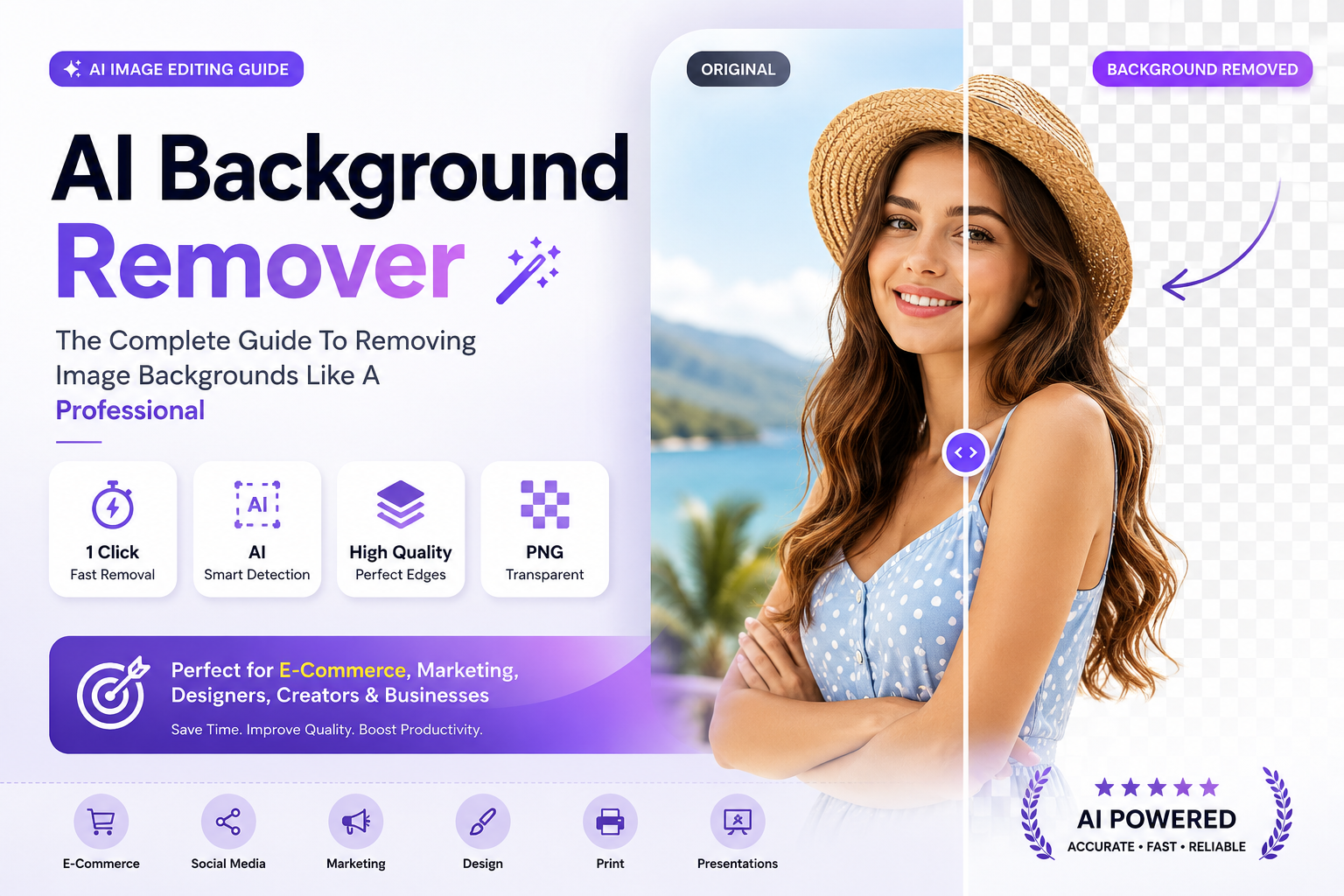
1 Click
Background Removal
AI
Automatic Detection
SEO
Better Product Images
2026
Latest AI Tools
Removing image backgrounds used to be one of the most time-consuming tasks in graphic design.
Professionals often spent hours manually tracing subjects, refining edges, and correcting imperfections to achieve clean transparent backgrounds.
Today, artificial intelligence has completely transformed this process.
Modern AI background remover tools can instantly detect people, products, animals, objects, and complex shapes while automatically separating them from their backgrounds with remarkable accuracy.
The best AI background removers can process an image in seconds while achieving results that previously required advanced Photoshop skills and significant editing experience.
📑 Table Of Contents
🚀 Why Background Removal Matters 🧠 How AI Background Removal Works ⭐ Key Benefits 🔥 Best AI Tools 📊 Comparison Table 💼 Business Applications ⚠️ Common Mistakes 🔮 Future Of AI Editing🚀 Why Background Removal Matters More Than Ever
Clean and professional images play a critical role in branding, e-commerce, marketing, social media, advertising, and digital design.
Whether you are selling products online, creating YouTube thumbnails, building marketing campaigns, or publishing content on social media, background removal helps create stronger visual impact and a more professional appearance.
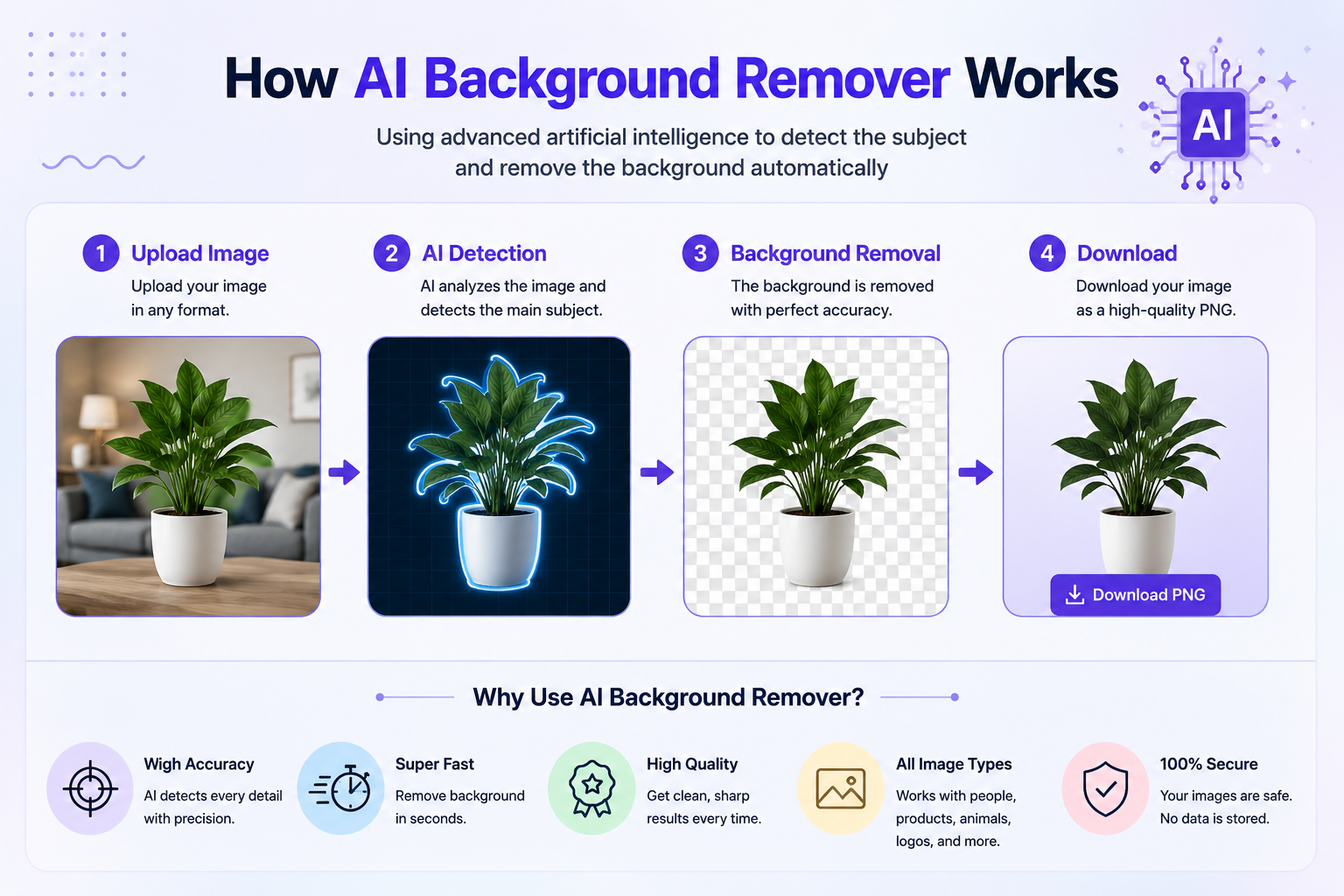
🧠 How AI Background Removal Actually Works
Modern AI background removers rely on advanced machine learning models trained on millions of images containing people, products, animals, vehicles, and countless other objects.
These systems learn how to identify the primary subject of an image and separate it from the surrounding environment automatically.
Unlike traditional editing methods that require manual selections and layer masking, AI performs this analysis within seconds.
The technology examines edges, colors, shapes, shadows, textures, and depth information to determine which elements belong to the foreground and which belong to the background.
Advanced AI models can identify complex details such as hair strands, transparent objects, soft shadows, and intricate product edges far more efficiently than manual editing workflows.
Once the subject is identified, the background is removed and replaced with transparency, allowing the image to be used across websites, advertisements, product listings, presentations, and marketing materials.
⭐ Key Benefits Of AI Background Remover Tools
AI-powered background removal tools provide significant advantages for businesses, creators, designers, and marketers.
- Save hours of manual editing work
- Create professional transparent backgrounds instantly
- Improve e-commerce product photography
- Enhance marketing visuals
- Produce cleaner social media content
- Support branding consistency
- Reduce design costs
- Increase productivity across teams
Many businesses use AI background removal to process hundreds or even thousands of product images automatically, dramatically reducing production time.
📈 Why Businesses Are Adopting AI Editing
The demand for fast, scalable image editing continues to grow as companies create more visual content than ever before.
10X
Faster Editing Workflow
90%
Reduced Manual Work
24/7
Instant Processing
AI
Automated Precision
These advantages allow teams to focus on creativity, branding, and growth rather than repetitive editing tasks.
Consistent image presentation improves trust, strengthens branding, and creates a more polished experience for customers and visitors.
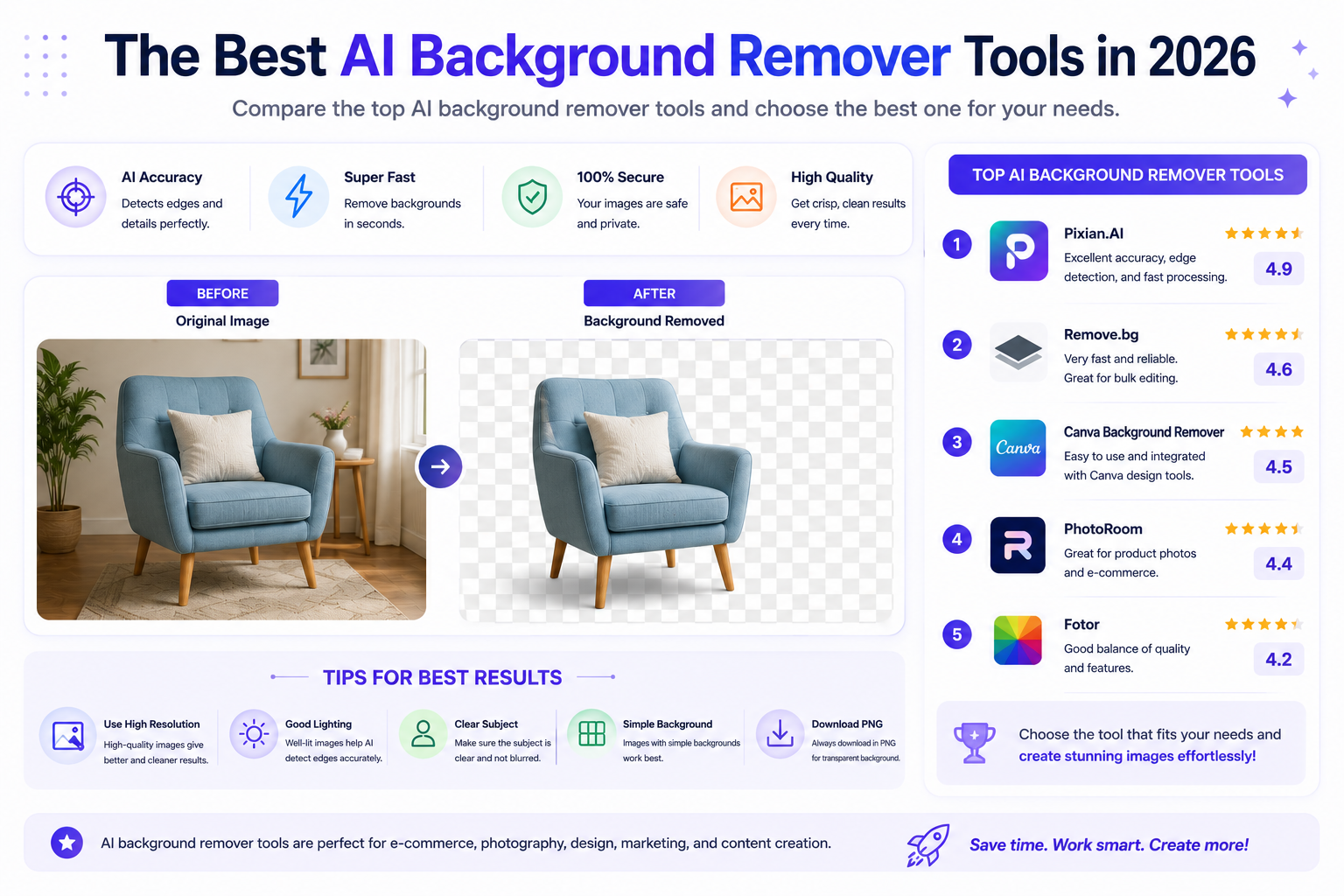
🔥 Best AI Background Remover Tools In 2026
Several platforms now offer powerful AI background removal capabilities, each designed for different workflows and user requirements.
| Tool | Best For | Main Strength |
|---|---|---|
| Remove.bg | Quick Background Removal | Exceptional Accuracy |
| Adobe Express | Creative Projects | Adobe Ecosystem |
| Canva AI | Beginners | Ease Of Use |
| Pixelcut | E-Commerce | Product Photography |
| Fotor AI | Content Creators | Fast Editing Tools |
Choosing the right solution depends on image volume, editing requirements, workflow integration, and desired output quality.

📊 AI Background Remover Comparison Table
Not all AI background removal tools offer the same level of accuracy, speed, and editing flexibility.
Some platforms focus on quick one-click background removal, while others provide complete editing ecosystems with additional design and marketing features.
| Feature | Remove.bg | Canva AI | Adobe Express | Pixelcut |
|---|---|---|---|---|
| Accuracy | ⭐⭐⭐⭐⭐ | ⭐⭐⭐⭐ | ⭐⭐⭐⭐⭐ | ⭐⭐⭐⭐ |
| Ease Of Use | ⭐⭐⭐⭐⭐ | ⭐⭐⭐⭐⭐ | ⭐⭐⭐⭐ | ⭐⭐⭐⭐ |
| Batch Processing | ⭐⭐⭐⭐ | ⭐⭐⭐ | ⭐⭐⭐⭐ | ⭐⭐⭐⭐⭐ |
| E-Commerce Features | ⭐⭐⭐⭐ | ⭐⭐⭐ | ⭐⭐⭐⭐ | ⭐⭐⭐⭐⭐ |
| Creative Editing | ⭐⭐⭐ | ⭐⭐⭐⭐ | ⭐⭐⭐⭐⭐ | ⭐⭐⭐⭐ |
Remove.bg is ideal for fast and accurate background removal, while Adobe Express provides broader creative capabilities. Pixelcut excels for e-commerce workflows, and Canva remains a strong choice for beginners.
💼 Business And E-Commerce Applications
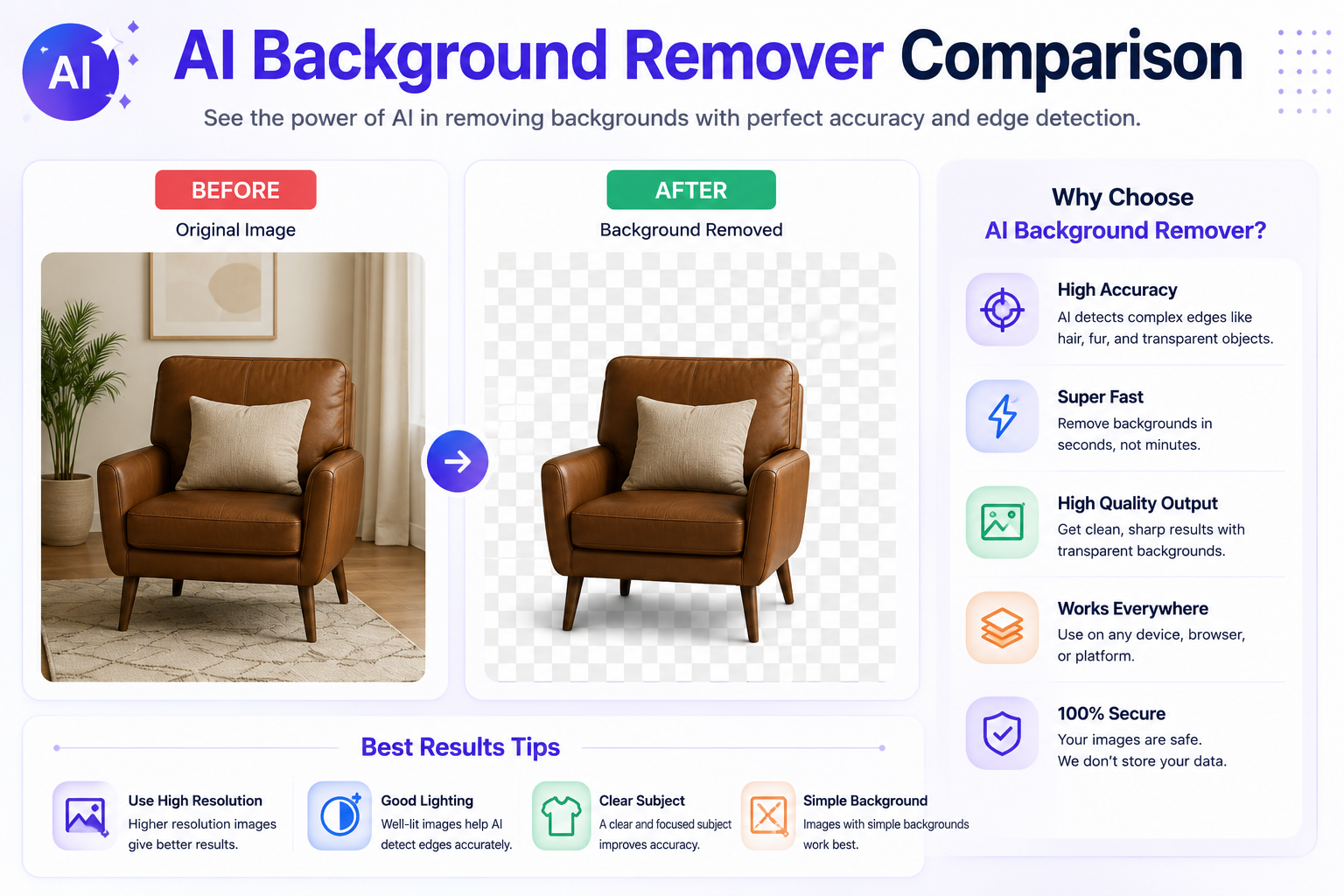
Background removal technology has become an essential part of modern e-commerce and digital marketing workflows.
Professional product images often require clean white backgrounds, transparent exports, or custom promotional designs.
AI tools allow businesses to achieve these results without expensive photography studios or extensive editing expertise.
- Create professional product listings
- Improve marketplace images
- Build stronger brand consistency
- Increase advertising quality
- Produce cleaner promotional materials
- Accelerate content production
Many online stores process hundreds of product photos every month. AI background removal dramatically reduces editing time while maintaining consistent image quality.
🎨 AI Background Removal For Designers And Creators
Content creators, social media managers, YouTubers, designers, and marketers use background removal technology daily.
Removing distracting backgrounds helps direct attention toward the primary subject while creating cleaner, more professional visuals.
AI tools make it easy to place subjects onto custom backgrounds, promotional graphics, advertisements, thumbnails, banners, and presentations.
🎨
Creative Freedom
⚡
Faster Production
📢
Better Marketing Assets
🚀
Higher Productivity
By automating repetitive editing tasks, creators can focus more on storytelling, branding, and audience engagement.
⚠️ Common Background Removal Mistakes
Although AI tools are highly capable, users sometimes reduce image quality by making avoidable mistakes.
- Using low-resolution source images
- Ignoring edge refinement
- Removing shadows that improve realism
- Choosing backgrounds that clash with branding
- Over-editing transparent elements
- Failing to review final exports carefully
Even the best AI tools occasionally struggle with complex edges, transparent objects, and highly detailed backgrounds. Always review important images before publishing.
🔮 The Future Of AI Background Removal
AI background removal technology continues to improve at an extraordinary pace.
Future systems will go far beyond simple background detection and removal. Advanced models will understand image context, lighting conditions, object relationships, shadows, reflections, and scene composition simultaneously.
This will allow AI tools to create more realistic edits while preserving visual consistency and professional quality.
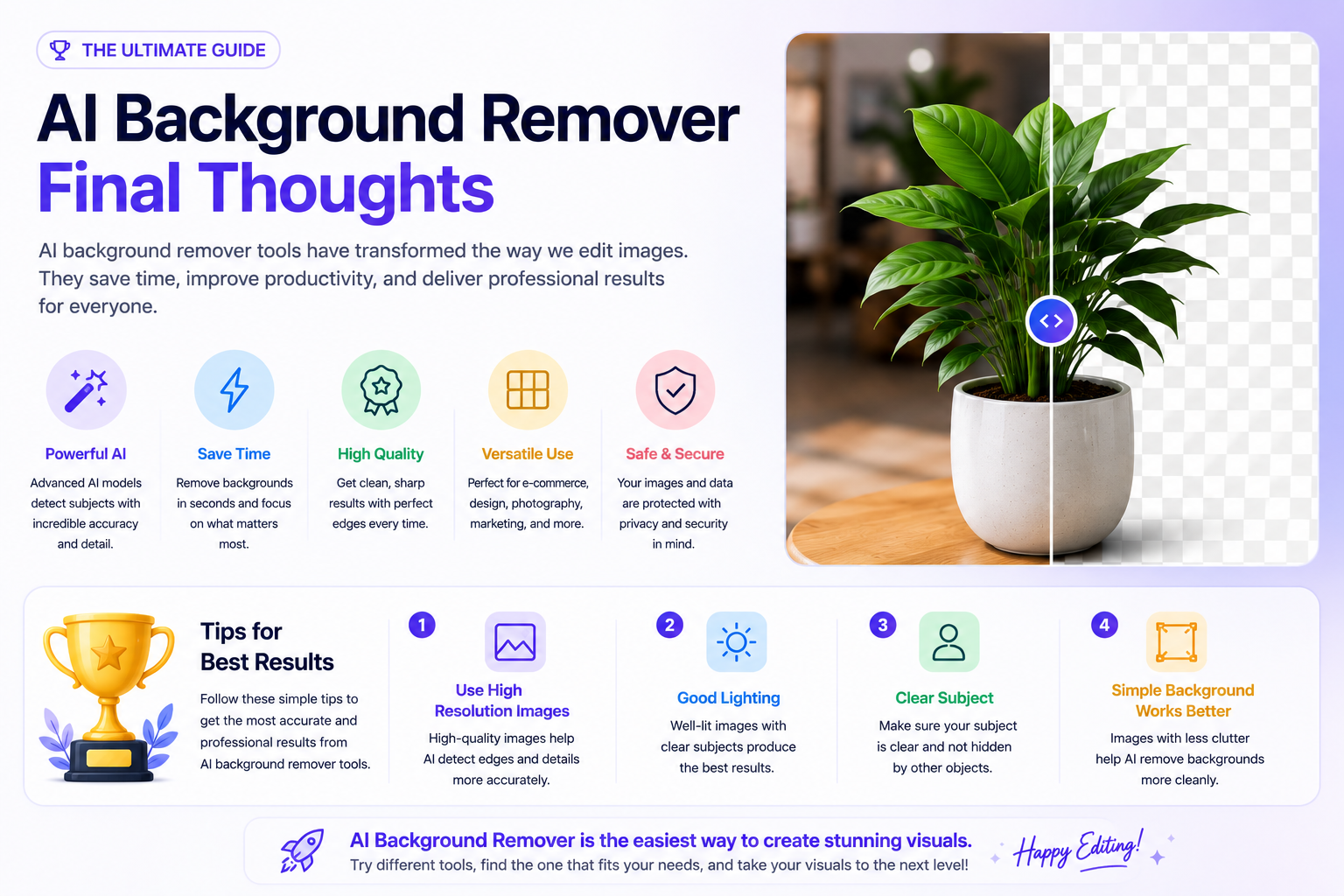
Future AI editing platforms are expected to combine background removal, object replacement, image generation, smart retouching, and scene enhancement into a single workflow.
As these technologies mature, businesses and creators will be able to produce professional-grade visuals with minimal technical expertise.
📈 Why AI Editing Is Reshaping Digital Content
Visual content has become one of the most valuable assets for modern businesses and creators.
Consumers engage more with high-quality imagery, and professional visuals often influence trust, purchasing decisions, and brand perception.
⚡ Faster
Content Production
💰 Lower
Editing Costs
🎯 Better
Brand Consistency
🚀 Higher
Marketing Efficiency
AI-powered editing tools allow organizations to create larger volumes of professional content without increasing production costs.
The future of content creation is not about replacing creativity. It is about removing repetitive work so creators can focus on ideas, storytelling, branding, and innovation.
🏆 Final Verdict
AI background remover tools have become essential solutions for businesses, designers, content creators, marketers, photographers, and e-commerce brands.
What once required advanced editing skills can now be completed in seconds with impressive accuracy and consistency.
Whether you are optimizing product photos, creating social media graphics, designing advertisements, or building marketing campaigns, AI background removal can dramatically improve efficiency and visual quality.
As AI technology continues to evolve, background removal tools will become even faster, smarter, and more capable of handling increasingly complex editing scenarios.
Create Professional Images Faster
Explore modern AI-powered editing tools and discover how intelligent background removal can transform your workflow, improve productivity, and elevate your visual content.
Explore AI Tools❓ Frequently Asked Questions
What Is An AI Background Remover?
An AI background remover is a tool that automatically detects the main subject of an image and removes the surrounding background using machine learning technology.
Can AI Background Removal Replace Photoshop?
For many common tasks, yes. Modern AI tools can perform background removal in seconds, although advanced design projects may still benefit from professional editing software.
Which AI Background Remover Is Best For E-Commerce?
Remove.bg and Pixelcut are popular choices because they provide fast processing and produce clean product images suitable for online stores.
Do AI Tools Work With Complex Backgrounds?
Most modern AI tools handle complex backgrounds well, though highly detailed scenes, transparent objects, and fine hair strands may occasionally require manual refinement.
Can AI Background Removers Create Transparent PNG Files?
Yes. Most leading tools export transparent PNG images that can be used in websites, marketing materials, social media graphics, and product listings.
Are AI Background Removers Worth Using?
Absolutely. They save time, reduce editing costs, and make professional image editing accessible to businesses, creators, and individuals.
📚 Related Articles
👨💻 About The Author

🚀 Explore More AI Guides
Discover more AI-powered tools for image editing, optimization, content creation, productivity, and business growth.
View All Articles